Documentation Index

Fetch the complete documentation index at: https://zite.com/llms.txt

Use this file to discover all available pages before exploring further.

Overview

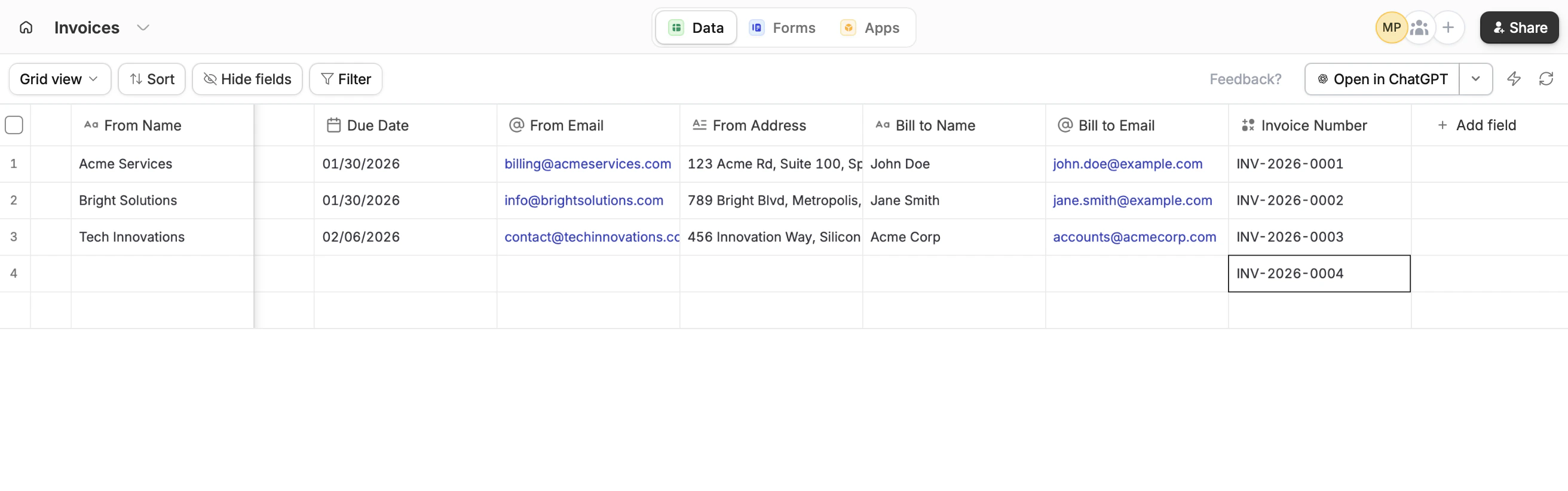
For some use cases, generating unique record IDs can be helpful when keeping track of data or exporting it for external use.

Common use cases

  • Invoices: Easily assign and reference invoice numbers when billing clients
  • Data exports: Maintain consistent identifiers across systems
  • Internal tracking: Quickly reference specific records without confusion

Create unique record IDs

1

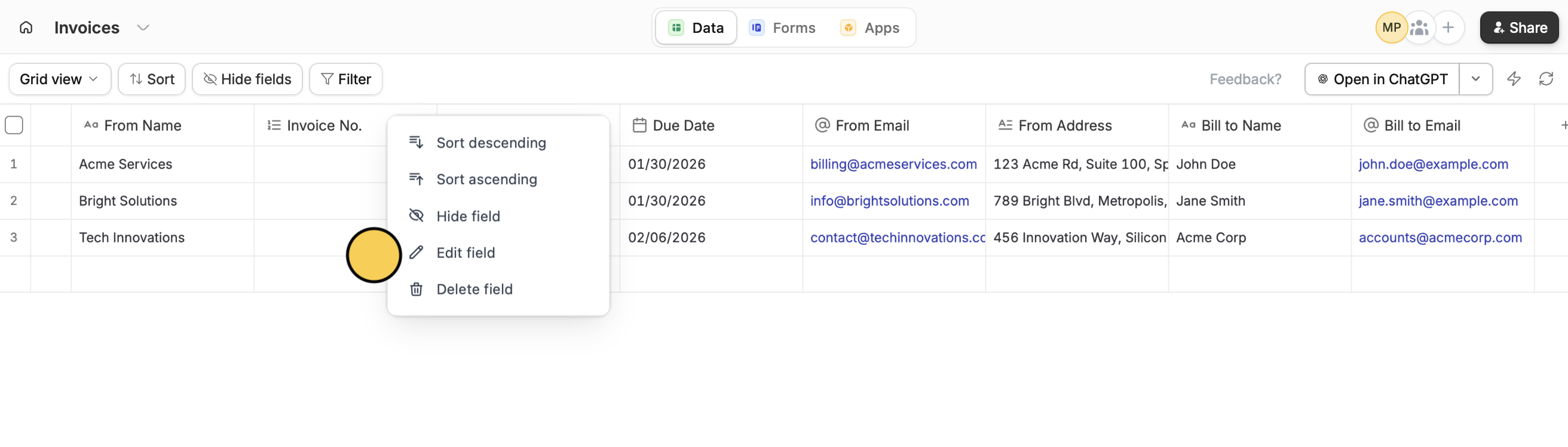
Create or edit field

In your database, create a new column or hover over an existing column and click followed byEdit field.Screenshot 2026 01 23 At 4 47 09 PM
2

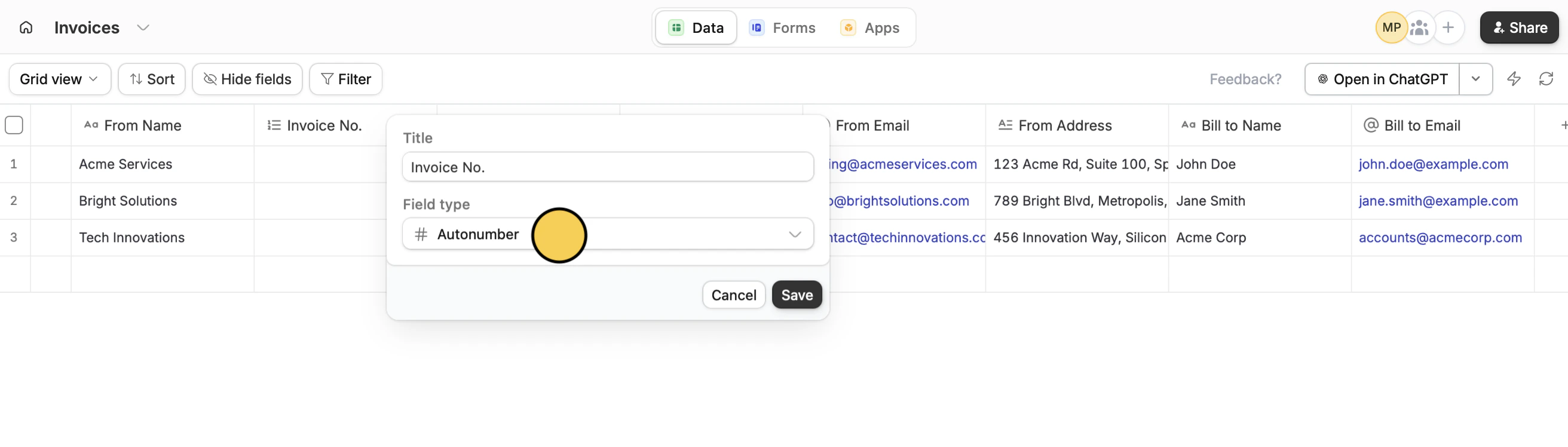
Use Autonumber

Choose the Autonumber field type.Screenshot 2026 01 23 At 4 47 05 PM Copy
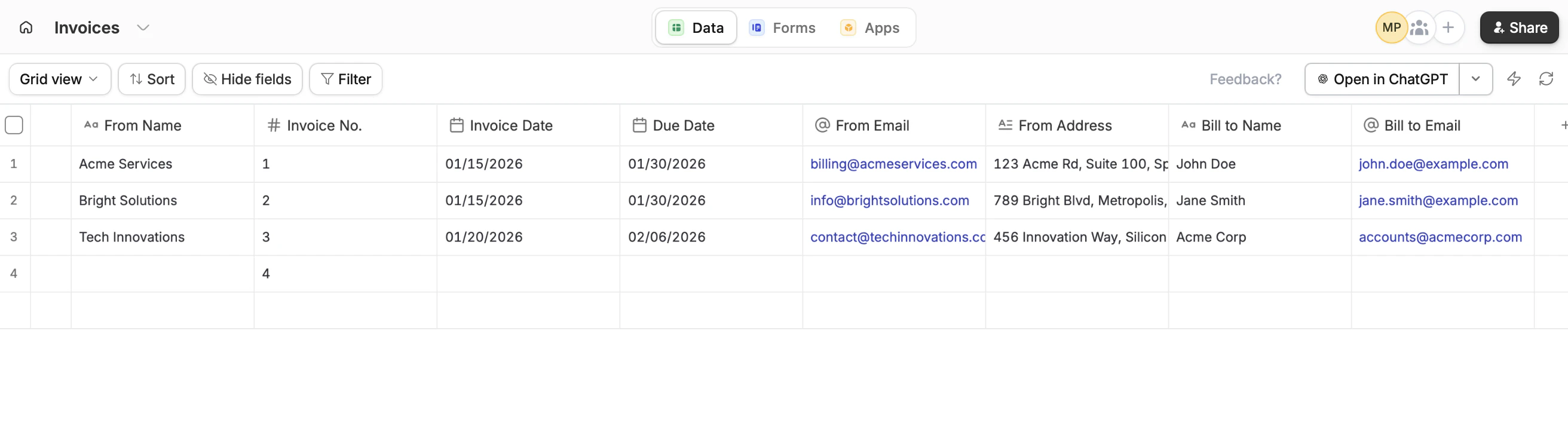
Autonumber fields assign simple numbers starting from 1. For more control over how your IDs look, read on.
That’s it! A number will now be generated for each row, whether existing or new.Screenshot 2026 01 23 At 4 48 20 PM

Create custom unique record IDs

1

Start with an Autonumber column

Follow the steps above. You can hide this field from view.
2

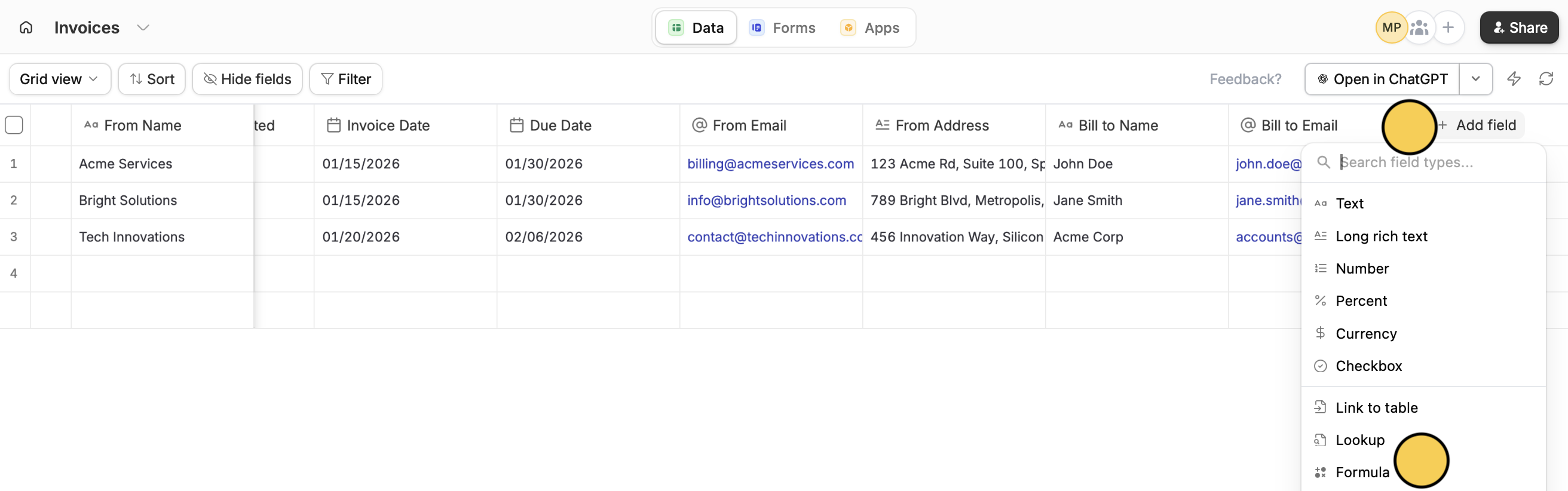
Add a Formula column

+ Add field and select Formula.Screenshot 2026 01 23 At 5 15 54 PM CopyYou can read more about formulas here.
3

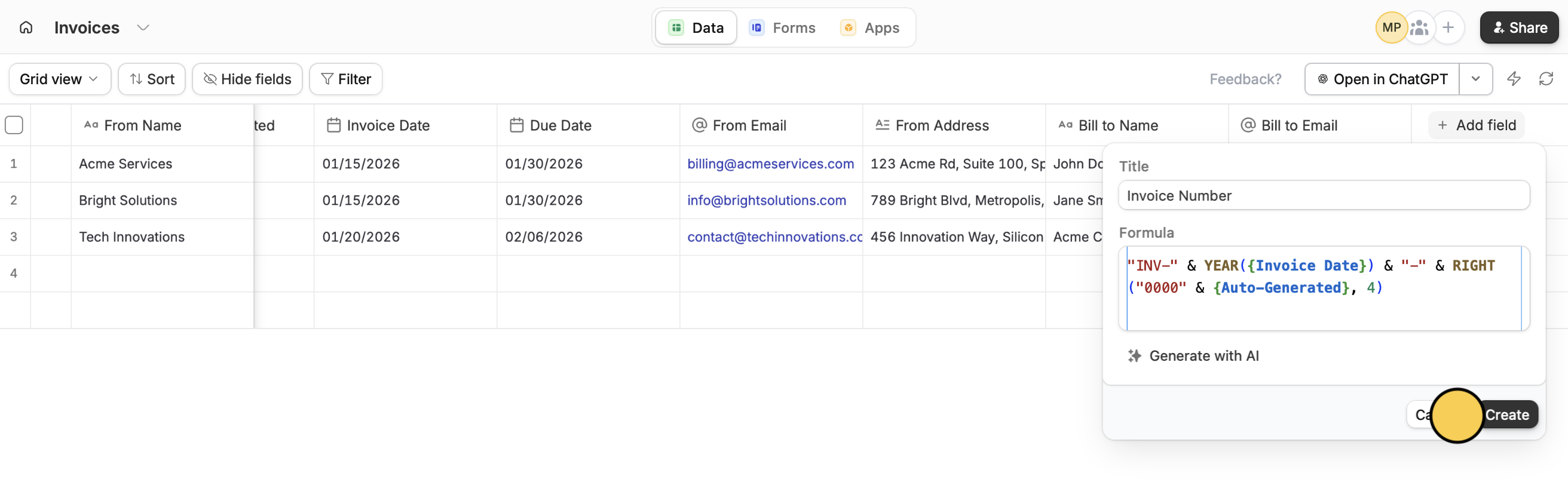
Input formula

Enter a Title or column name, followed by your Formula. Then, click Create.Screenshot 2026 01 23 At 5 17 20 PMThat’s it! A custom number will now be generated for both new and existing records.Screenshot 2026 01 23 At 5 17 44 PM Copy

Use formulas

Check all functions available in formula fields.