

Create a Zap
1
Choose what starts it
Create a Zap in Zapier. Select the source app and event, then connect its account. To start with a Zite change, choose Zite and an event such as New Record.
2
Connect Zite
Add Zite as the trigger or action. Sign in to your Zite account when prompted and review the access request.For a calendar-to-database workflow, use Create Record as the Zite action.
3
Choose where the data goes
Select the Base and Table. Base means the Zite database you want to use.Match the incoming values to your table’s fields. For example, put the calendar event title in Meeting name and its description in Notes.
4
Test and publish
Test with a sample event, then check the new record in Zite. Confirm the values landed in the right fields before publishing the Zap.
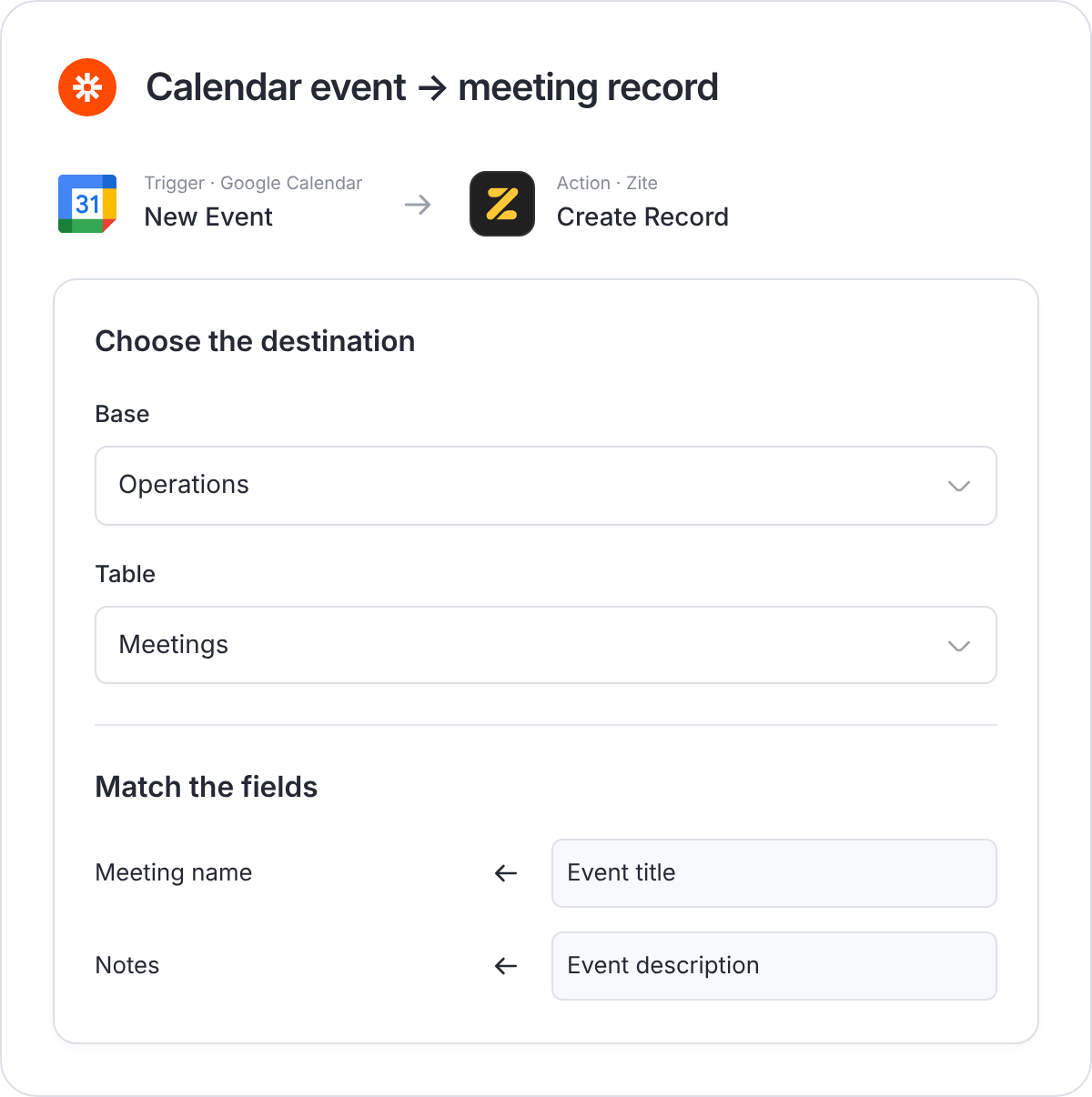
Example: create a meeting record from a calendar event.
Choose a Zite event
Zapier also has events for tables and fields. See the current Zite event list for all options.
If a Zap doesn’t work
- Wrong or missing data: Check the selected Base, Table, and field mappings.
- No record appears: Check the Zap’s history and confirm it is published and enabled.
- A run fails: Read the failed step and check for a partially created record before retrying.
- The connection stops working: Review the connected account and reconnect if Zapier requests it.