Documentation Index
Fetch the complete documentation index at: https://zite.com/llms.txt
Use this file to discover all available pages before exploring further.
Change payment terms
To switch between monthly and annual billing, go to the Billing & usage page.
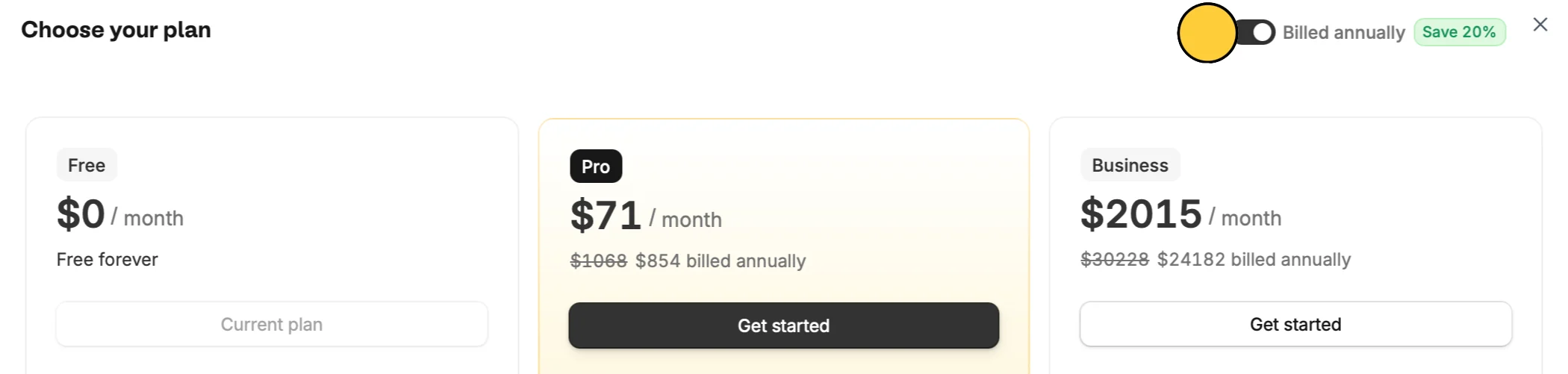
Click Browse plans or Modify the subscription you want to update (Forms or Apps), then toggle Billed annually on or off.
Change billing date
Billing dates can’t be directly edited. To change it, you’ll need to reset your subscription timing.
Downgrade your plan, then upgrade again on your preferred billing date. For example, if your current billing date is the 15th but you want it on the 1st, downgrade your plan before the 15th. Then upgrade again on the 1st. Your new billing date will now be on the 1st of every month.