

User groups are available on Team and Enterprise. Organization admins manage them in Settings → Groups.
Create a group
- From inside a workspace, open its name at the top of the sidebar and select All workspaces. On organization home, open the organization name at the top left, then select Settings → Groups.
- Select Create and name the group, such as Sales team.
- Add the organization members who belong in it.
- Save the group. Open Access to review where it already has access.
Grant access to a workspace or app
For a current workspace, use the link beside it in the group’s Access tab to open its Users area. Select Editors for building access or an app beneath All internal apps for use access. Select Invite, search for the group, and review the scope before confirming.Choose Use or Edit
For a workspace, Edit grants access across its database and apps. Use access does not grant workspace editing access. Test which records and actions the app makes available to each person.
For Classic Workspaces, expand the workspace in the group’s Access tab, choose Use or Edit, and save.
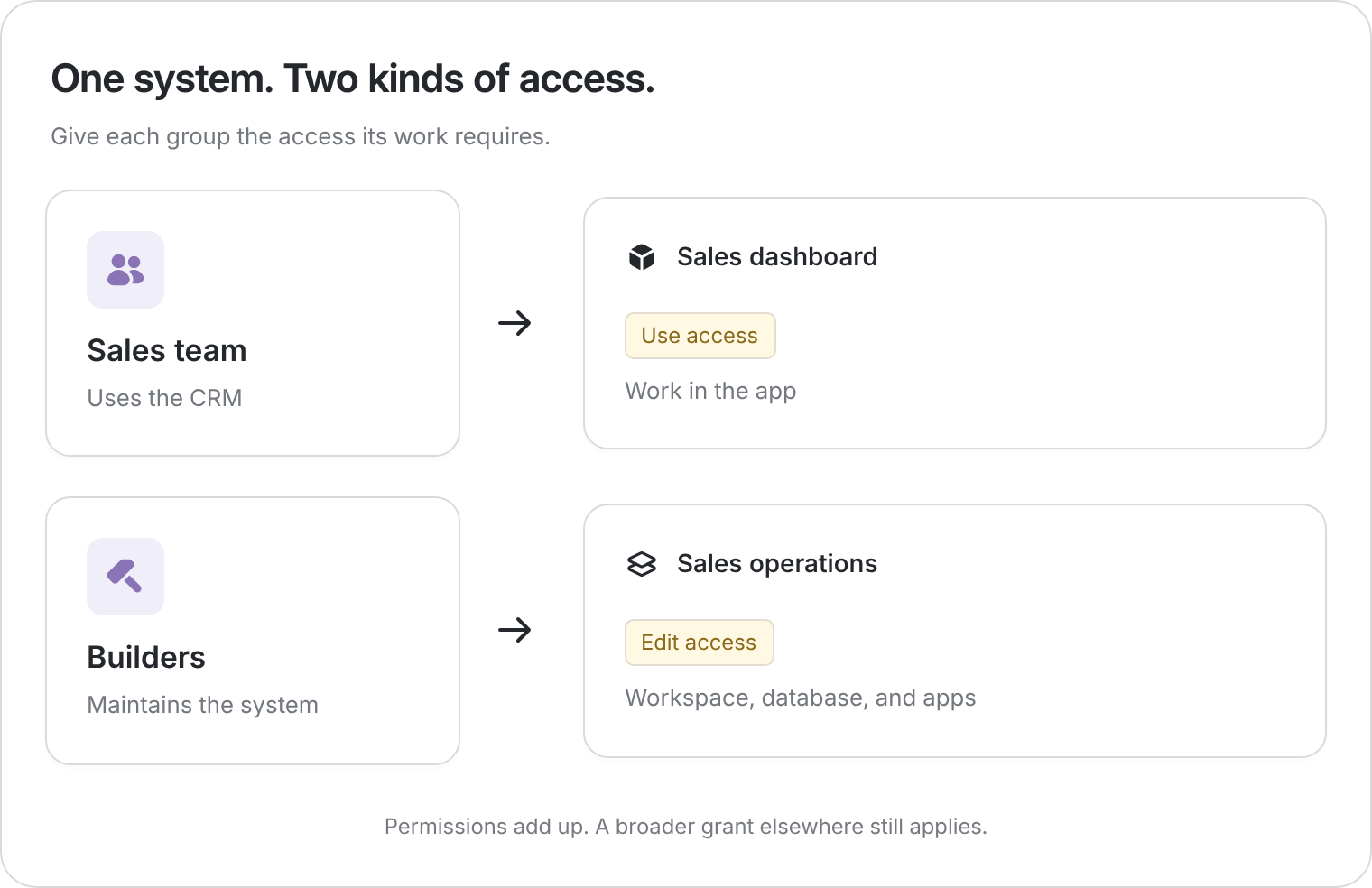
Example: the Sales team can use the CRM while the Builders group can edit the workspace.
How permissions combine
Access adds up across individual grants, groups, and workspace permissions. Edit is broader than Use.- A person with Edit access from one group still has it if another group only grants Use.
- Removing someone from a group removes that group’s grant, but other grants may remain.
- A locked control or permission hint can explain where inherited access comes from.