

What counts as usage?
One prompt does not equal one credit. The model and amount of AI work affect how many credits it uses. See How credits work.
An app that checks for updates every few seconds runs its workflow on every check, for each open browser or device. For example, a page that checks every 5 seconds and is open on 3 devices uses about 36 runs a minute. To save runs, ask the Zite agent to check less often, pause checking when the app isn’t in use, or only refresh when someone opens the page or takes an action. Workflow run limits can’t be raised on request. If you need more runs, switch to a higher plan.
What counts as a run
A run is one execution of a workflow. Any time your app reads or changes data, or talks to another tool, it runs a workflow. Only runs of the published version count. That includes your own use of the published app, plus schedules and webhooks. Editor preview and test runs are free.
A webhook that Zite refuses before the workflow starts does not count. Billing & usage breaks runs down per app only.
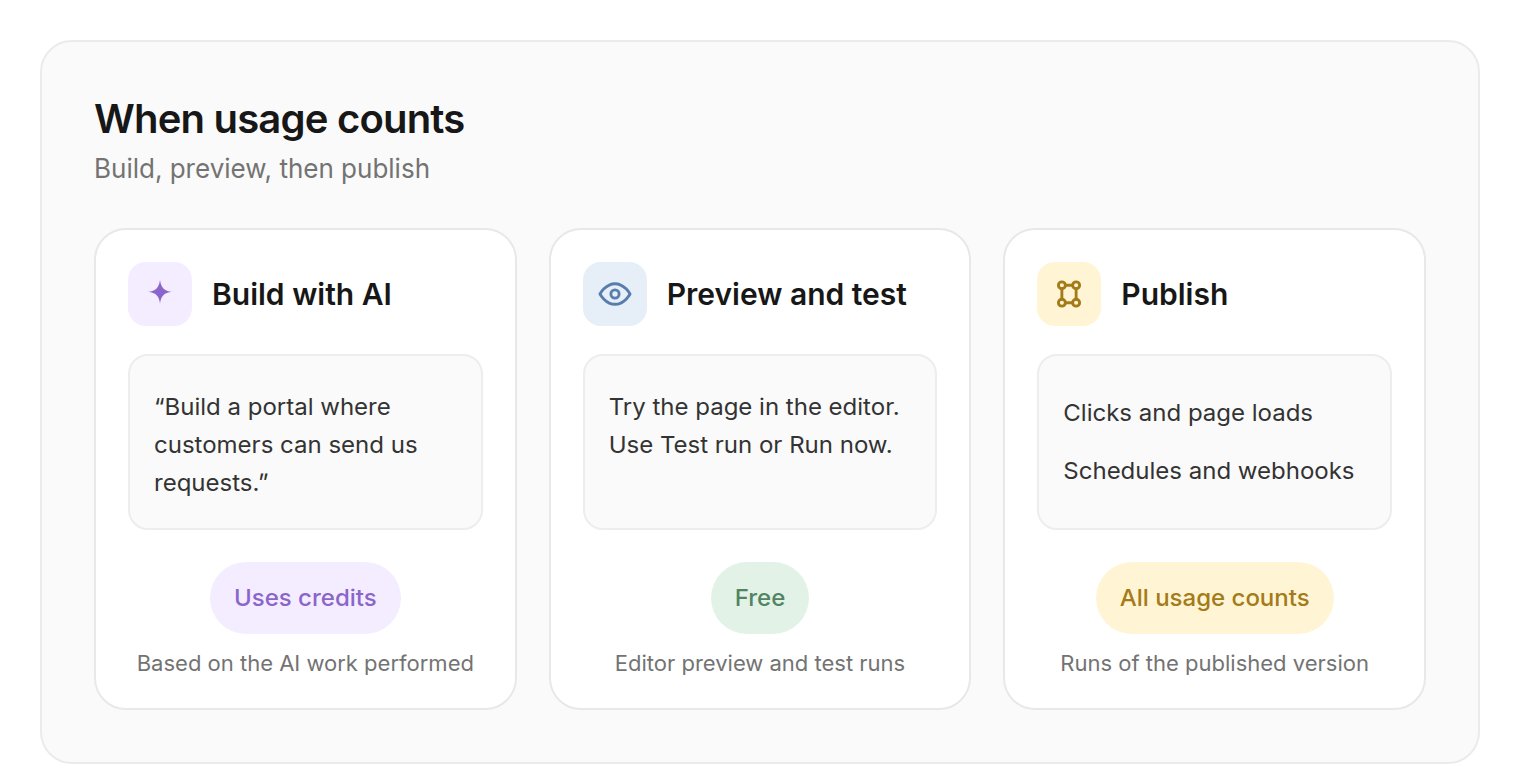
Building with AI uses credits. Preview and test are free. After you publish, people's clicks and page loads, schedules, and webhooks count as runs.
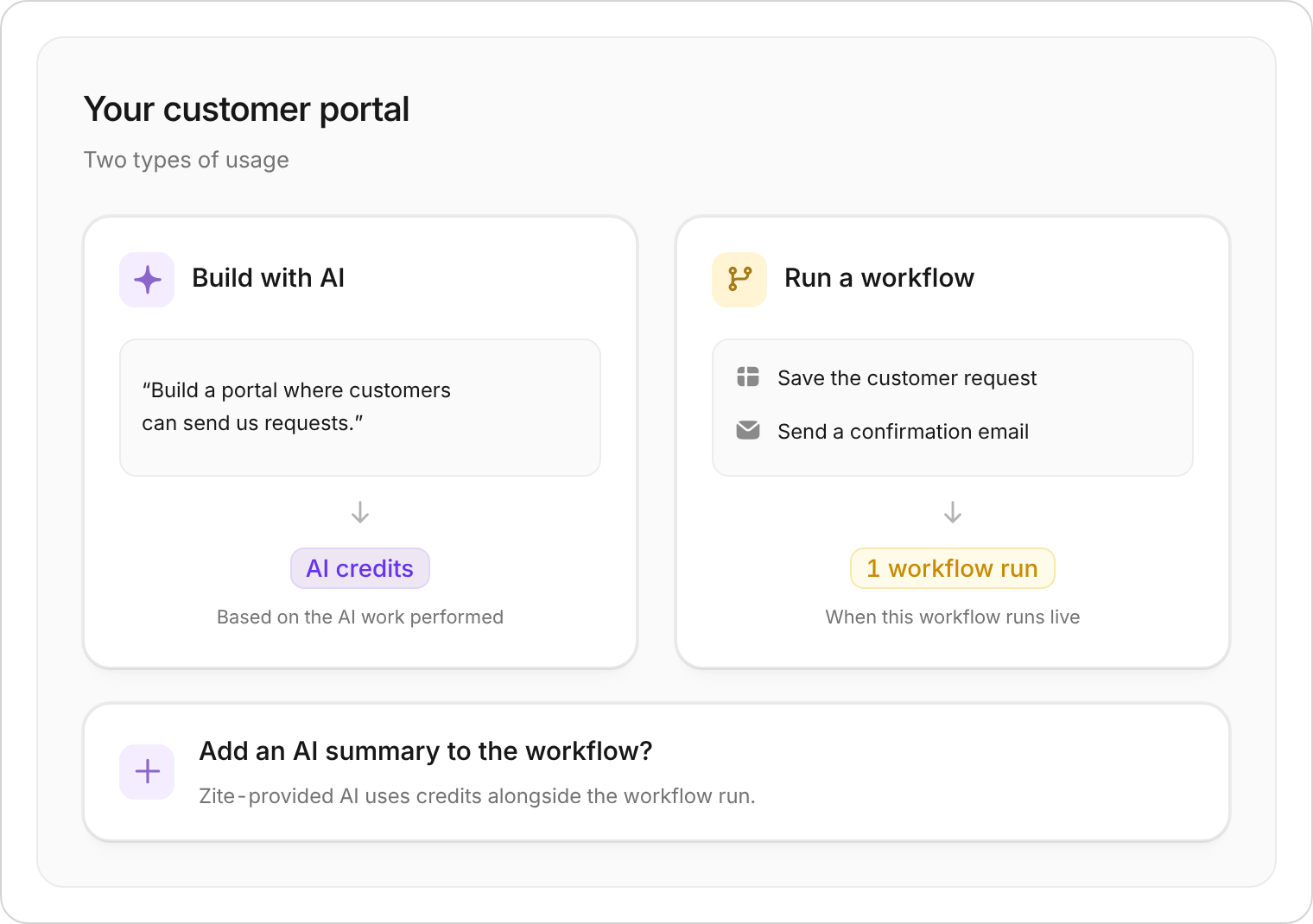
Example: building your system uses credits; running a workflow uses its own allowance. AI inside a workflow can use both.
Estimate your runs
Plan from the work your published app will do. A page that uses more than one workflow, or that stays open on several browsers, uses more runs.- 200 orders a day: Each order is one save plus two page loads. That is about 600 runs a day, or about 18,000 in a 30-day month.
- A page that refreshes every 5 seconds: For one person, over 5 hours, that is 3,600 runs. The note above shows how the same refresh uses more runs when several devices stay open.
- Refresh data when the page opens or after an action, not on a timer.
- Ask Zite “how many runs will this use?” before you publish a change that loads data often.
- Check the per-app breakdown in Billing & usage to see which app is using runs.
FAQ
Does writing to the database count as a run?
Does writing to the database count as a run?
Yes, when a workflow saves or updates a record. Opening a page that loads records also uses a run for each workflow it calls.
Is one submission that updates a CRM and sends an email one run or several?
Is one submission that updates a CRM and sends an email one run or several?
One run, if those steps are in the same workflow. A workflow counts as one run no matter how many steps it contains.
Does a weekly scheduled report use credits each time?
Does a weekly scheduled report use credits each time?
The schedule uses one run each time it executes. It uses credits only if that run uses Zite-provided AI. Setting the schedule up with AI uses credits once.
Why did I use runs before launching?
Why did I use runs before launching?
Your own use of the published app counts, including before you share it. Preview and test in the editor do not count. If you published so you could try the live app yourself, those visits and actions use runs.
Check your usage
From a workspace, open its name at the top of the sidebar and select All workspaces. On organization home, open the organization name, then select Settings → Billing & usage to see:- Credits: Usage this period and a breakdown by app and product.
- Workflow runs: Usage this period and a breakdown by app.
- Other allowances: Workspace and storage usage for your plan.
What happens at a limit?
- AI credits: Building with AI pauses when you use your allowance. Generating AI field values yourself also pauses at the allowance. Auto-run AI fields, and Zite-provided AI in published apps, pause once your organization uses more than 150% of its credit allowance (more than 50% over). AI using your own provider key does not use Zite credits and is not affected by this limit.
- Workflow runs: Published apps keep running. On Free, Pro, and Business plans, going over the allowance blocks publishing updates until usage resets or you upgrade.