

Choose your audience
Publish and share
1
Set the access mode
In the editor, open Settings → Login. Under Access, choose Public app and review the change before confirming.
2
Decide who can sign in
If people need accounts, add login and choose your sign-in methods and sign-up rules. A public app can still be restricted to invited users. See Authentication.
3
Publish the app
Select Publish, review the apps selected for publishing, and confirm. Changes you make later need to be published again.
4
Copy the live link
Open Share and copy the app link. Test it in a private browser window before sending it to customers.
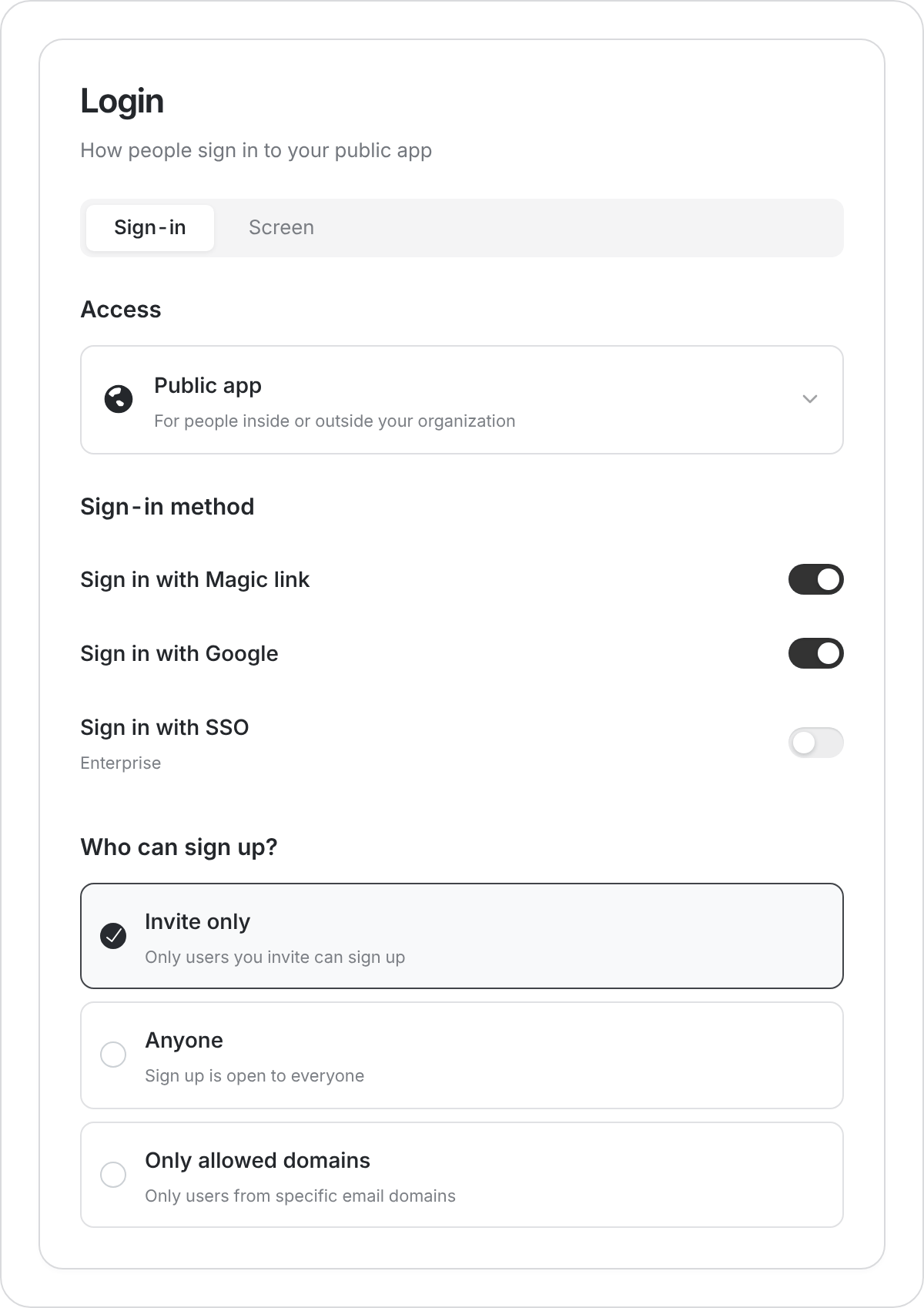
Public apps can still require sign-in. Choose the sign-up rule for your audience.
Other ways to share
- Your own address: customize the link or connect a domain.
- Inside an existing website: use an embed.
- On printed material: download a QR code. Check it again if you change the app’s address.
Sending someone a link does not grant permission to a restricted app. Invite them to the app or confirm that its sign-up rules allow them in.