

How it works
When you open an app or database that does not yet belong to a Workspaces 2.0 workspace, Zite will ask you to start the migration process. The migration is straightforward and keeps your apps, forms, database, and the people who can access them together. You do not need to rebuild anything.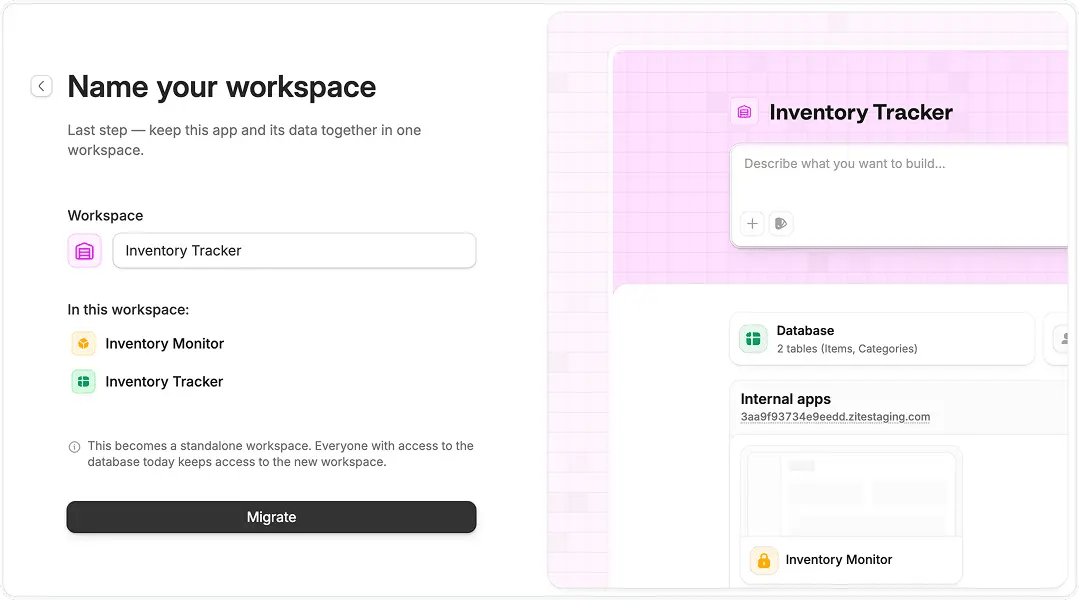
Name your workspace
Apps without a Zite Database
For an app without a Zite Database, choose where to add one:- Create a new workspace: Creates a workspace with its own database. You do not have to use the database right away, but it is ready when you need it.
- Add to an existing workspace: Choose a workspace from the list to move the app there. The app uses that workspace’s database.
Classic vs new workspaces
Existing workspaces, now called Classic workspaces, are visual folders for grouping apps, databases, and forms. In Workspaces 2.0, each workspace is a complete home for a project: one database, its connected apps and forms, shared logic, and centralized member permissions. This makes it easier to grow a project without managing each part separately.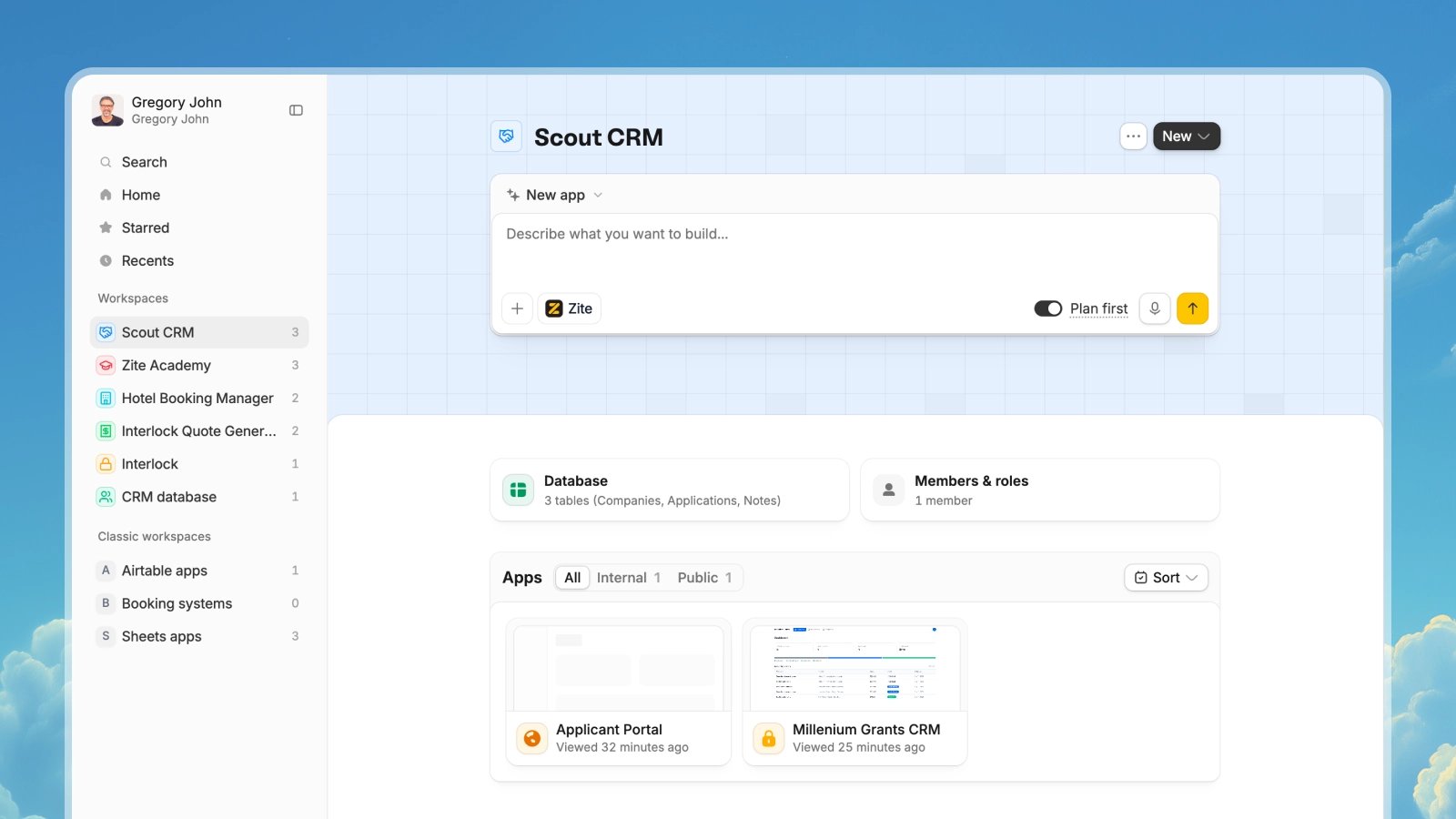
Zite 2.0 Workspace
What you get with a new workspace
Each workspace gives your project a clear home, with the people, apps, and information it needs to run in one place. As your project grows, you can add more apps and forms and manage members with ease.Everything in one place
Quickly manage your database, apps, forms, users, and permissions from one place.
One shared database
Keep the records, tables, and relationships that power your project together.
Connected apps and forms
Add internal apps, public apps, and forms that all work from the same data.
One agent with the full picture
Let Zite Agent work across the apps and data without needing to switch apps.
Access in one place
Manage data permissions and user roles from a central place.
Shared logic across apps
Share logic across your apps for better performance and reliability.
Migration questions
What happens if my app does not have a Zite Database?
What happens if my app does not have a Zite Database?
You can either create a new workspace or add the app to an existing workspace.
- Create a new workspace: Zite creates a new Zite Database for the workspace. You do not have to use it, but it is ready if you need it later.
- Add to an existing workspace: The app uses the database that already belongs to that workspace.
Done. Zite adds the database alongside your app.When you add an app to an existing workspace, select the workspace from the list, then select Move.What happens if my app already uses a Zite Database?
What happens if my app already uses a Zite Database?
Zite moves the app, or every app that shares the database, and the database into a new workspace together. Everyone who can access the database today keeps access after the migration.Name the workspace, then select
Done to complete the move.Will people keep access to the new workspace?
Will people keep access to the new workspace?
Yes. Everyone who has access to the database today will have access to the new workspace after migration.
Can a workspace have more than one Zite Database?
Can a workspace have more than one Zite Database?
No. Each workspace has one Zite Database. Add apps and forms to the same workspace when they should work from the same data.
What if my app uses an external data source?
What if my app uses an external data source?
That is fine. When a new workspace is created, Zite adds a Zite Database, but you can keep using your external data source and do not have to use the new database. It will be there if you need it later.
Can I undo a migration?
Can I undo a migration?
No. Migration to Workspaces 2.0 is a one-way process, so an app cannot return to the Classic workspace model after migration. However, once migrated, you can move the app between different Workspaces 2.0 workspaces.
Will everything keep working after migration?
Will everything keep working after migration?
Yes. Your app, data, access, and existing setup keep working after the migration. You do not need to rebuild anything.