

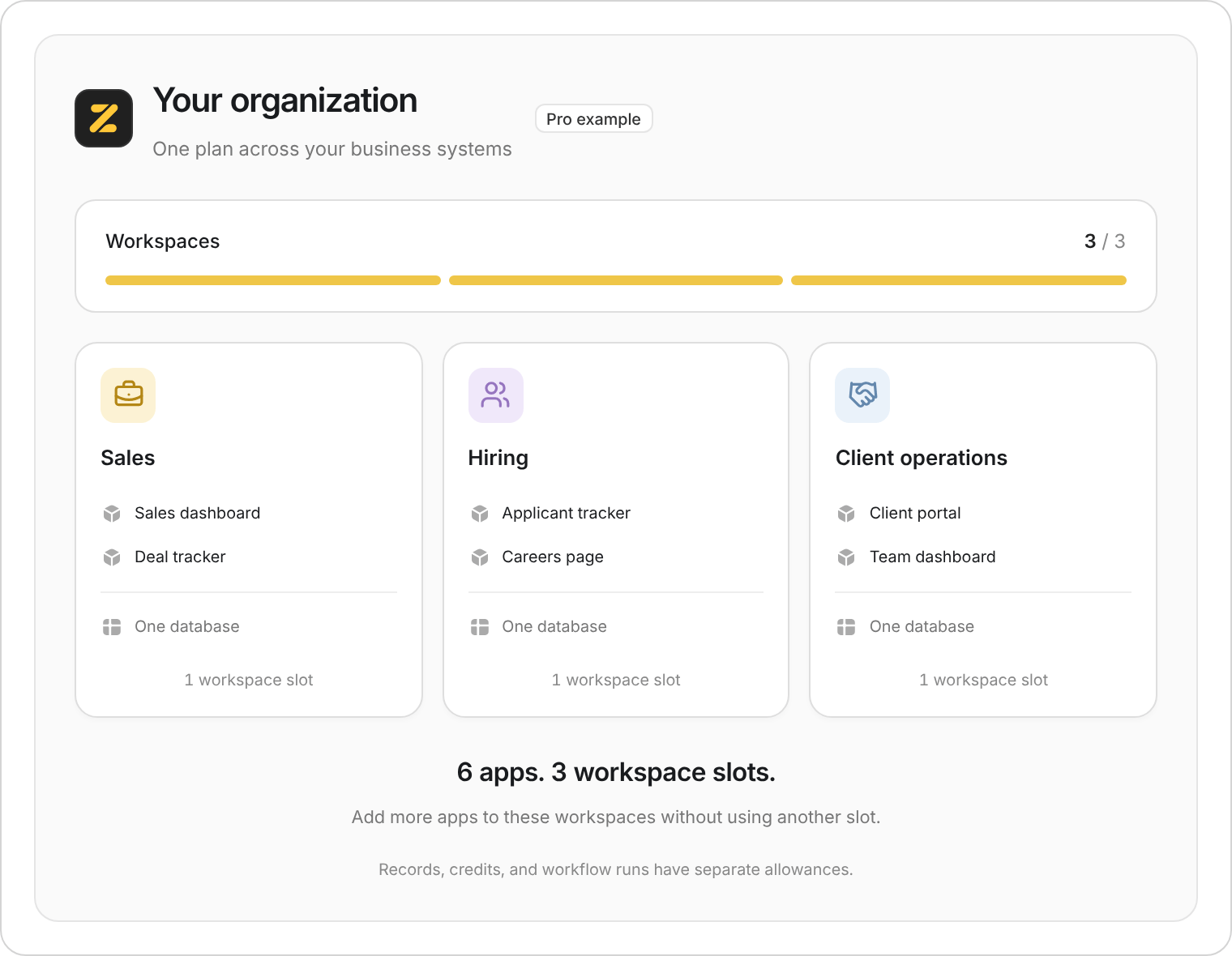
This example uses three of the plan's workspaces. The apps inside them don't add to that count.
How many workspaces you can have
Eligible organizations that held a paid Zite or Fillout plan when workspace limits were introduced keep double the standard allowance while they retain a paid plan. For example, Pro has 6 and Business has 10. Eligible Fillout-only customers on Zite Free have 2.Your billing page shows Grandfathered 2x if this applies to you.
What counts toward your plan’s workspaces
An action counts toward the allowance when it creates or restores a workspace. This includes:- Creating a new workspace, including starting an app or database in a new workspace
- Importing a workspace
- Duplicating a workspace
- Copying a Marketplace solution into a new workspace
- Restoring a workspace from Trash
- Claiming an app you built before signing up. If you started on zite.com and then hit your plan’s workspace limit, see I started an app on zite.com before signing up.
Check your allowance
Organization admins can check the allowance in Billing & usage. If you’re inside a workspace, open its name in the sidebar and select All workspaces. Open the organization name at the top of the sidebar, select Settings, then Billing & usage. Under Usage, look for Zite → Workspaces to see your current count and allowance. Use this figure when checking your plan, especially if you have an older subscription. The separate Limits tab is for AI spending limits per member.If you reach your workspace limit
Your existing workspaces keep working. Being over the workspace allowance doesn’t delete or lock them. If Zite stops you from adding another workspace, the message depends on what you’re doing. For example, you may see You’ve used all N of your workspaces (N is your plan’s number) or You’re over your workspace limit. Duplicating, importing, restoring, and adding a Marketplace solution have messages specific to those actions. Free organizations can see the over-limit message because they aren’t stopped until their fourth workspace. You can:- Use an existing workspace for apps that belong to the same business system.
- Move unused workspaces to Trash. This reduces your workspace count straight away. If you’re already over the limit, you may need to remove more than one to make room for another. Check their apps, forms, and data first.
- Upgrade your plan for a larger allowance.
Workflow runs
Only runs in published apps count. Going over the run allowance can block publishing updates; it does not stop existing apps from running. Team is exempt from this publishing restriction.
The allowance resets each month on your billing-cycle date, or at the start of the calendar month for Free organizations.
Eligible organizations that held a paid Zite plan on or before May 31, 2026 keep 50% more workflow runs while they retain a paid Zite plan. For example, Pro has 7,500 and Business has 75,000. Your billing page shows Grandfathered +50% if this applies to you. This is separate from the doubled workspace allowance above.
See App Usage for what counts as a run.
Other limits still apply
Unlimited apps and forms doesn’t mean unlimited usage:- Database records: Each database has its own record allowance, shared across its tables.
- File storage: Uploads have a separate storage allowance.
- Credits and workflow runs: Separate allowances for AI work and running your systems.
- Form submissions: Check the Fillout allowance for your organization. The number of forms isn’t the submission limit.