Overview

The Users area brings workspace editors and the people who use each app into one place. From a workspace, click the Users button to the left of the workspace selector.
The Users area for a Zite workspace showing editors and their roles
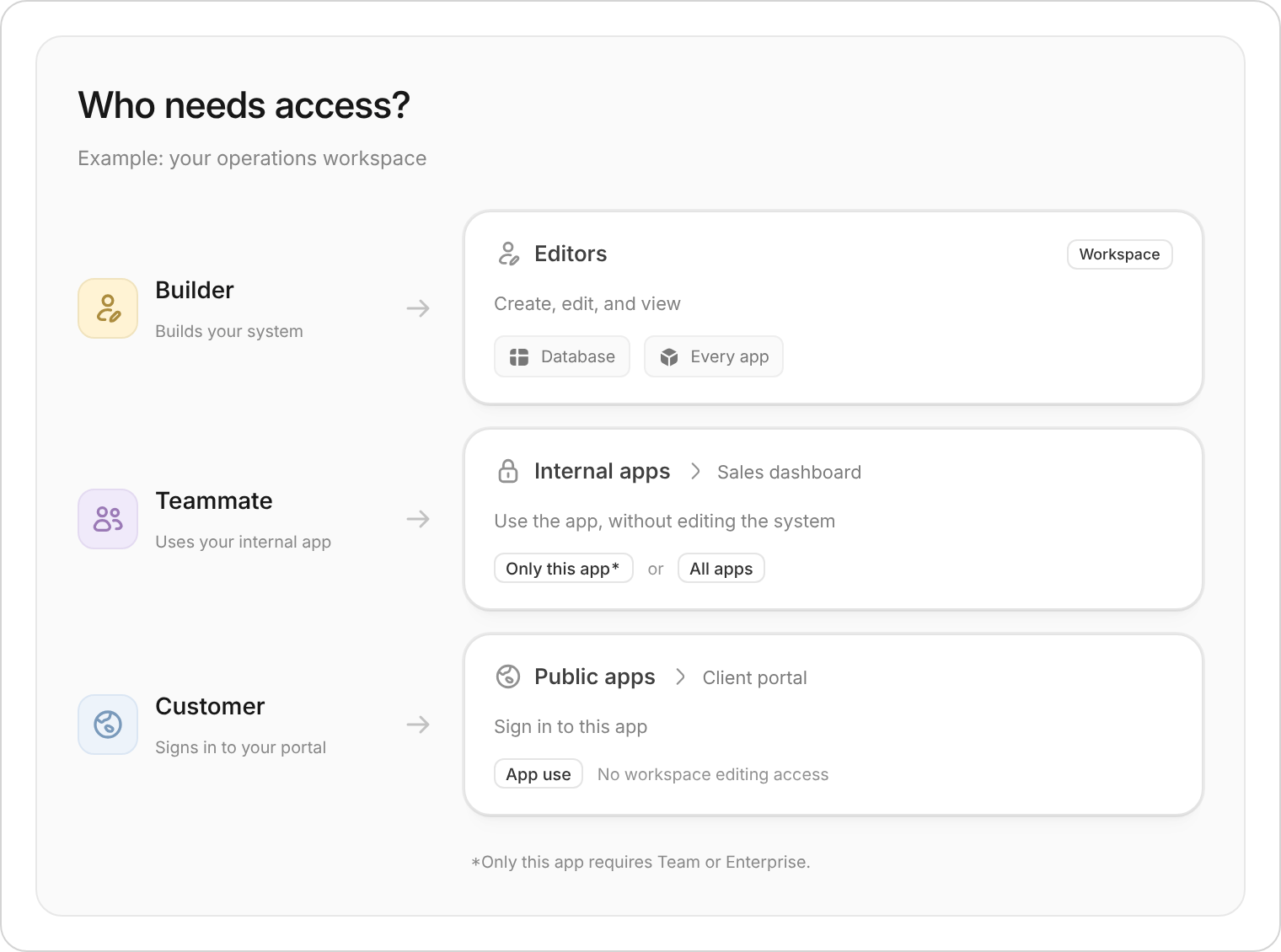
There are three types of access to manage:

Editors

People who can create, edit, and view the database and every app in the workspace.

Internal app members

People in your Zite organization who have Use Access to a specific internal app.

External users

People outside your organization who have signed up to use an external app.

Choose the right view

Use the side menu to switch between Editors, Roles, and the individual apps in the workspace. Choose Editors when someone needs to build or manage the workspace. Choose an individual app when someone only needs to use that app.

Manage editors

Editors have workspace-wide access. They can create, edit, and view the database and every app in the workspace.
1

Open Users

Click Users to the left of the workspace selector.
2

Select Editors

Under Workspace, select Editors.
3

Review or invite editors

Search or filter the list to find someone. Click Invite to add another editor.
The Editors table shows each person’s name, email address, role, and workspace access. Use this view for people who need to build or manage the project, rather than people who only need to use one app.

Manage internal app members

Members of internal apps are people in your Zite organization who have Use Access to that app. They can use the selected app without becoming an editor for the whole workspace.
Managing access separately for individual internal apps is available on Team and Enterprise plans.
1

Open Users

Click Users to the left of the workspace selector.
2

Select an internal app

Under Internal apps, select the app whose members you want to review.
3

Manage its members

Search or filter the list, or invite someone who needs Use Access to the app.
Access is managed separately for each internal app. Giving someone Use Access to one app does not make them an editor or give them use access to every other app in the workspace.

Manage external users

External users are people outside your Zite organization who have signed up to use an external app. Select an external app from the Users side menu to review the people who use it. External-user access belongs to the selected app; it does not give someone editor access to the workspace, its database, or its other apps. Use the app’s authentication settings to control how people sign in and who can sign up. Customize the invitation email they receive in Notifications and emails.

Search and filter users

Each view has its own user list. Use the search field to find someone by name or email address, and use Filter to narrow the results. Make sure you select the correct view before inviting or reviewing someone:
  • Select Editors for workspace-wide building access.
  • Select an internal app for organization members who need Use Access to that app.
  • Select an external app for people outside your organization who use that app.

Configure roles

Roles remain under Workspace in the Users side menu. Use them to control database access by table and action. See Configure roles.
Last modified on September 11, 2026